
When sending an Apple client to start our LogmeIn Rescue (GoTo) on an iPad or iPhone, if they dont have it installed, apple gives a stupid error.
Create a session - PIN
Client opens a browser (safari maybe) to logmein123.com

If they typed into the SEARCH BAR, they will go to:
https://secure.logmeinrescue.com/Customer/Code.aspx
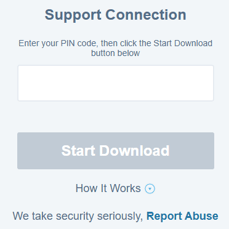
Enter the PIN we give them.
Press the jolly big blue Start Download button.
An error shows up, its VERY dull-witted, it says:
Safari cannot open the page because the address is invalid. OK
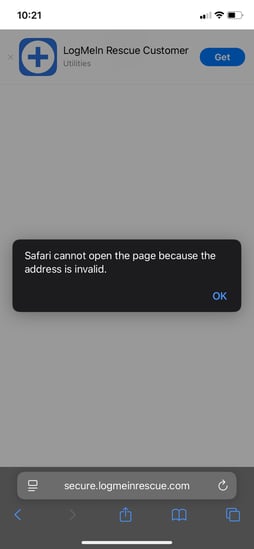
Press ok.
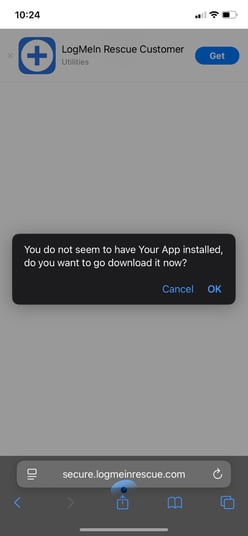
Next pea-brained message: You do not seem to have Your App installed, do you want to go download it now? Cancel or OK -- Press OK.
App store opens.
LogMeIn Rescue Customer
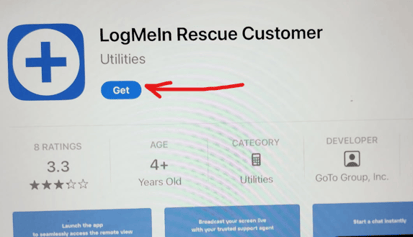
Press the blue button Get.
Pop-up at the bottom: press blue button Install.
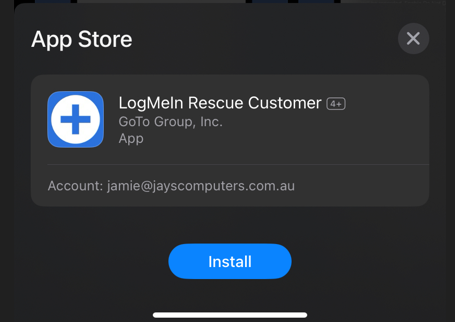
Then press the blue button Open.
Allow "Rescue" to find Bluetooth.
ALLOW
Pop-up Rescue wants to send you notifications
ALLOW
Blue button bottom Continue.
FINALLY enter the PIN you created for the client.
Pop-up Select session type Broadcast or chat: select BROADCAST.
pop-up Tap the Broadcast button (its a blue target dot)
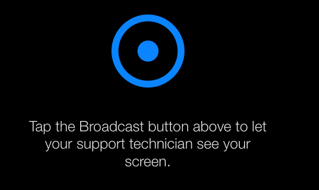
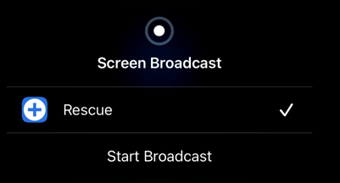
pop-up Rescue with a tick, press Start Broadcast.
wait while JaysCom connects from our side...
it now spins and dances on your device.
you can now swipe up to get back to the Home screen, and we can help you
💀💀 WARNING 💀💀
Do not let your phone LOCK, that ends the session.